Character Counter
Real-Time Text Analysis Tool Built with React and Tailwind CSS
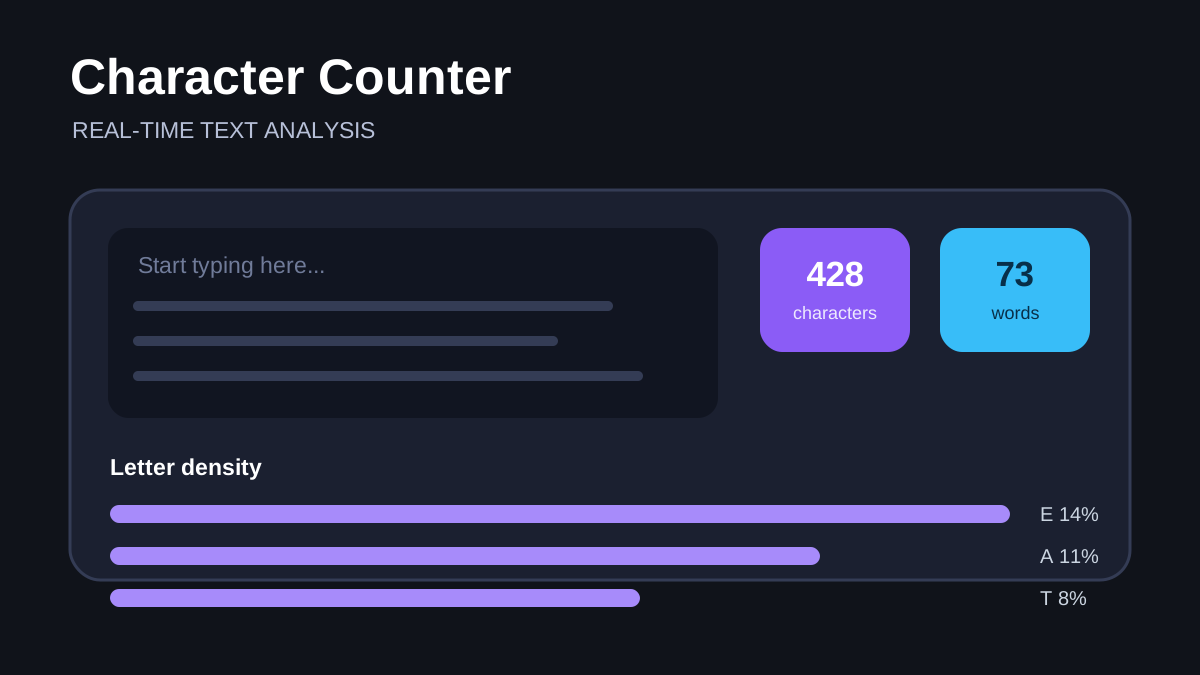
Character Counter is a real-time text-analysis tool built with React, JavaScript, and Tailwind CSS. It turns a text area into an immediate writing dashboard by calculating character, word, and sentence totals, approximate reading time, and the density of individual letters.
Immediate Feedback While Writing
The application updates its statistics whenever the text changes. Character count can include or exclude whitespace, which is useful when a platform defines its limit differently. Words are calculated from non-empty groups separated by whitespace, while sentence count uses terminal punctuation as a practical approximation.
Reading time is derived from the current word total. The implementation uses a simple words-per-minute assumption and rounds upward so even a short passage receives a visible estimate. These calculations are intentionally lightweight enough to run after each input event without a server request.
Deriving State Instead of Storing Everything
The entered text is the primary source of truth. Counts and frequency information can be recomputed from that value, which keeps the interface predictable. React state stores the values needed for display, and components receive only the data they need.
Normalising whitespace and handling an empty input are small but important details. Without them, an empty text area can be counted as one word, or a sequence of spaces can inflate the result. The implementation checks the trimmed value before splitting it into words.
Letter Density
The density view converts text to a consistent case, filters the characters being analysed, and builds a frequency map. Letters are sorted from most frequent to least frequent, then displayed with a bar whose width represents that letter's share of the analysed characters.
Showing both the raw count and percentage makes the result easier to interpret. A “show more” control keeps long results manageable: the most frequent entries are visible first, and the complete list remains available when needed.
Theme and Responsive Design
A light and dark theme switch changes the document theme class, allowing Tailwind's dark-mode utilities to update the full interface. The default is dark, and the toggle gives clear visual feedback through sun and moon icons.
The statistics use responsive cards that can stack or spread across the available width. Typography and spacing adjust across breakpoints, while the text area remains the main focus. This makes the tool practical on both a phone and a wider desktop display.
Accuracy Boundaries
Text analysis that feels simple has edge cases. Punctuation-based sentence counting does not understand every abbreviation or language. Whitespace splitting treats hyphenated and contracted words according to their visible spacing rather than linguistic rules. Reading time varies by reader and material. Letter density also needs an explicit policy for accented characters and non-Latin scripts.
These are acceptable tradeoffs for a fast browser utility, but they should be stated clearly. A future version could use Intl.Segmenter for language-aware word and sentence boundaries, preserve preferences in local storage, offer configurable reading speed, and add copy or export actions.
What This Project Demonstrates
Character Counter demonstrates controlled input, derived statistics, responsive React rendering, frequency analysis, theming, and careful empty-state handling. It is a compact example of turning basic text operations into a polished, useful interface.